
Self-hosted dashboard for homelab
Your infrastructure, finally readable.
NasDash brings together services, machines, Docker containers, network topology, and widgets in a configurable interface. This documentation guides you from a fresh installation to secure, customized operation.
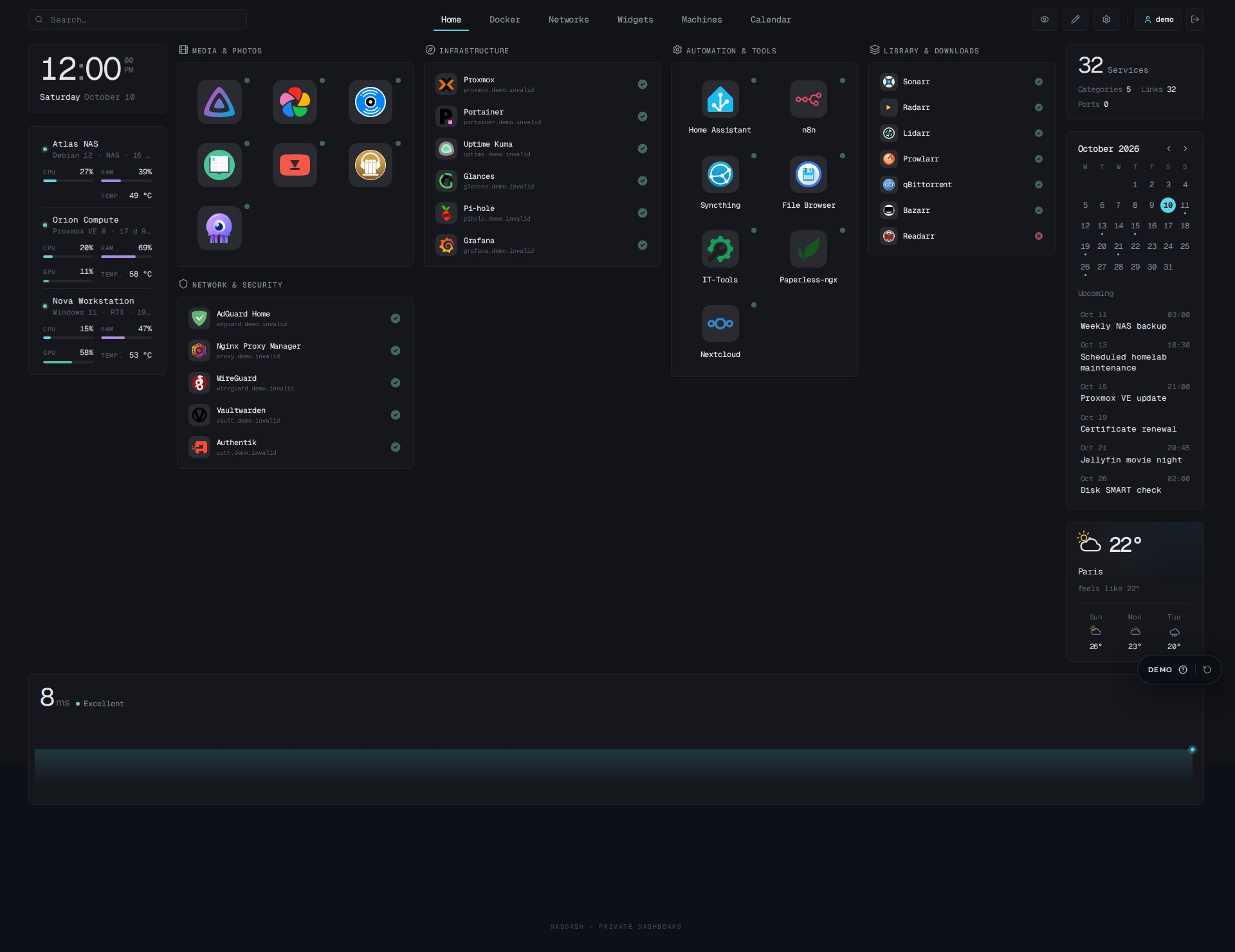
Screenshot source0.3.6 · screenshots captured 29 October 2026
Official imageghcr.io/lucas-lepajollec/nasdash:latest, pin the tag in Compose
Public demoFictional data, no access to a real network
Choose your path
I am discovering NasDashPrerequisites, storage choices, quick installation, and first startup.I am connecting my homelabDocker, Tailscale/Headscale, six monitoring sources, calendar and weather.I want remote accessPrivate network, Tailscale, HTTPS, and reverse proxy without unnecessarily exposing the application.I am building my dashboardServices, devices, widgets, custom tabs, and responsive profiles.I am customizing the designPublic CSS variables, copyable recipes, fallback mode, and security limits.Something is not workingSymptom-based diagnosis, verification commands, and log interpretation.
What this documentation guarantees
- The commands and fields described come from the actually observed NasDash checkout.
- The examples use domains and addresses reserved for documentation.
- Every destructive operation or operation that may cut access is announced before the command.
- The differences between development, self-hosted production, and public demonstration are explicit.
- An assumption or unproven compatibility is never presented as an available feature.
Key references
| Need | Value or page |
|---|---|
| Development port | 2499 |
| Default Docker port | host 2504, published on all interfaces |
| Local demo port | 2505 |
| Persistent data | /app/data in the container |
| Initial account | admin only; setup code or NASDASH_ADMIN_PASSWORD; viewer created when public mode is enabled |
| Application health | /api/health |
| Recovery after bad CSS | add ?safe-css=1 to the URL |
| Source code | github.com/lucas-lepajollec/nasdash |
Official documentation
This official documentation is published on docs.nasdash.lucas-homelab.fr. Also find the NasDash presentation site.